Amazon EventBridge has a new kind of custom event bus. AWS calls it the enhanced custom event bus. One bus can now be shared across all the accounts in an AWS organisation, and it adds features that teams used to build themselves: ordered delivery, content-based deduplication, event retention with replay, and transformations. One AWS product manager called it the biggest EventBridge launch since the service started in July 2019. If you run serverless workloads or event-driven applications across more than one AWS account, it is worth knowing what changed, what stays the same and how to try it without disrupting what already works.
What is new
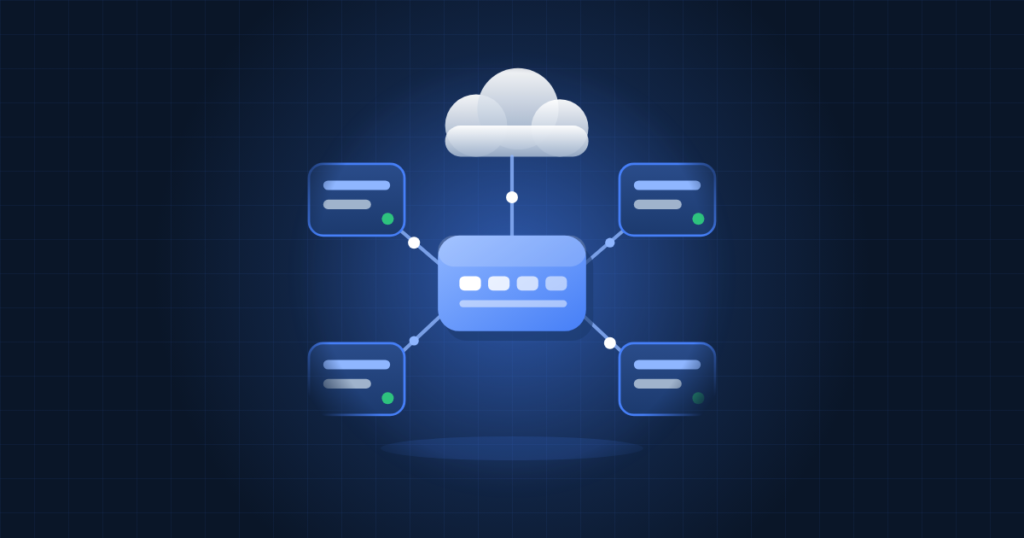
Until now, sending events between accounts meant building a chain of buses and rules. A producer account published to its own bus. A rule forwarded those events to a central bus, and more rules sent them on to consumer accounts. Every hop needed its own configuration, and platform teams often lost track of who was subscribed to what. The enhanced bus replaces that chain with a single shared resource. The headline features are:
- Organisation-wide sharing through AWS Resource Access Manager (RAM). Publishers in other accounts send events straight to the central bus. You can share with specific account IDs, an organisation, an organisational unit, or an IAM role or user.
- A new Subscriber resource that combines event filtering, the target, retry policy and dead-letter destination in one object. By default a bus allows up to 10,000 subscribers, and you can request more.
- Ordered delivery. Publishers set an
EventGroupId. Subscribers that opt in to ordering receive events with the same group ID in sequence. Subscribers that do not opt in keep receiving events asynchronously. - Content-based deduplication. When a publisher turns it on, EventBridge hashes each payload and drops identical retries that arrive within five minutes.
- Retention and replay. Events are kept for 24 hours by default, and you can extend that to one year. A subscriber can start reading from an earlier point, which helps you recover from a bad deployment or load history into a new service.
- Synchronous invocation for targets such as Lambda. EventBridge waits for processing to succeed before it treats the event as delivered. In many designs this removes the SQS queue that people put between the bus and the function.
- Transformations and formats. Subscribers can reshape events with JSONata expressions. Avro and Protocol Buffers payloads can be converted to JSON so that filters can match on any field. A new publishing API also accepts common JSON formats such as CloudEvents.
What stays the same
Existing buses are not touched. In the console and documentation they are now called Custom event bus – classic, and AWS says the existing APIs are unchanged. Your current rules, targets and cross-account forwarding keep working as before. The enhanced bus is a separate resource, so you can adopt it gradually, for example one new event stream at a time.
Availability is still limited. At launch the enhanced bus is offered in 14 regions: US East (N. Virginia, Ohio), US West (Oregon), Europe (Ireland, Frankfurt, Stockholm, Spain) and Asia Pacific (Hong Kong, Malaysia, Mumbai, Singapore, Sydney, Thailand, Tokyo). If your workloads run in another region, you have to stay on classic buses for now.
The pricing model is different
Classic buses charge per event. Enhanced buses charge for throughput. Publishers pay for the data they send in, and subscribers pay for the data delivered to them. AWS says this costs less as volume grows. Corey Quinn of The Duckbill Group estimated about 18 cents per GB ingested and described it as high but not unreasonable for most users. Check the official EventBridge pricing page before you rely on any figure.
In practice, workloads with many small events may cost less, while workloads with large payloads or many subscribers per event deserve a closer look. Because delivery is billed per subscriber, a busy event read by twenty consumers costs more than the same event read by two.
How to try it safely
Creating a bus in the console takes a few steps:
- Open the EventBridge console in a supported region and choose Create custom event bus.
- Select the new Custom event bus option, not the classic one.
- Turn on Enable event bus sharing and choose Allow sharing only within your organization.
- Add the principals that may publish or subscribe, for example individual account IDs.
You can also create the bus with the AWS CLI, the SDKs or CloudFormation. If your infrastructure is managed as code, wait until your IaC tooling supports the new resource types instead of creating buses by hand and letting them drift. Before you move anything in production, work through this checklist:
- Map your current topology. List every bus, cross-account rule and target. That list shows where a shared bus would remove the most hops.
- Pick one low-risk event stream to pilot. Leave the classic path running until the new one is proven.
- Decide where ordering matters and choose an
EventGroupIdscheme, such as an order ID or customer ID. Do not turn on ordering everywhere by default. - Keep your idempotency handling. Deduplication only covers identical payloads within five minutes. AWS advises keeping your own idempotency tokens if you already use them.
- Set retention on purpose. A longer replay window helps recovery, but find out how retention is billed before you set it to a year.
- Review IAM and RAM sharing. A shared bus is a central point, so limit publishing and subscribing to the accounts and roles that need them.
- Model the cost with your real payload sizes and number of subscribers.
Who should care
Single-account setups with a few rules will see little benefit yet, and classic buses remain a good choice for them. The change matters most for businesses with several AWS accounts, for example separate production, staging and team accounts, or a SaaS product that keeps customer workloads apart. Those setups have collected rule chains and SQS buffers that the enhanced bus can replace.
How TechProvidence can help
TechProvidence designs and runs AWS environments for small and growing businesses, including multi-account setups, serverless pipelines and infrastructure as code. We can review your current EventBridge setup, estimate costs under the new pricing, pilot an enhanced bus alongside your existing one and move workloads over without downtime. To discuss your setup, contact us.
Source: InfoQ