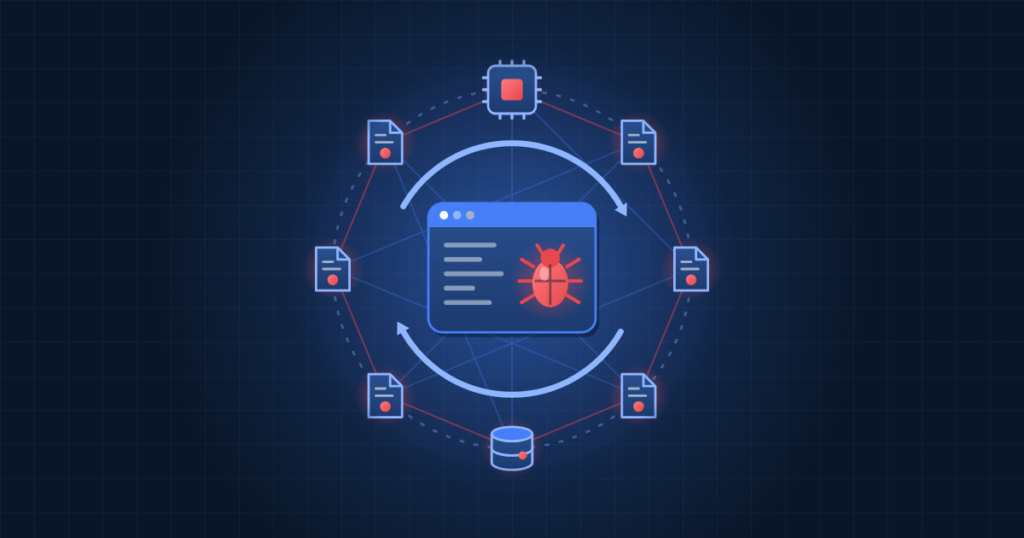
Researchers at Sucuri have documented a WordPress infection that keeps coming back however carefully a site is cleaned. They named the backdoor SC, after the “SC_” markers it leaves in injected content, and describe it as a “self-healing mesh.” It does not depend on one hidden file. It spreads copies across a PHP configuration file, a fake theme, a must-use plugin, a normal plugin, two WordPress drop-ins and System V shared memory. If you remove one copy, the others put it back. For anyone hosting WordPress, the lesson is that deleting the file your scanner flagged is no longer a cleanup. This post covers how SC works, how to find it and how to remove it so it stays gone.
How the SC backdoor persists
According to Sucuri’s analysis, SC uses eight separate components. Each one can rebuild the rest:
.user.inisets PHP’sauto_prepend_filedirective, so a loader runs before every PHP request on the site.wp-content/c1b12371.phpand a hidden, dot-prefixedwp-content/.c1b12371.phpact as loaders.wp-content/themes/khorshidi/functions.phpholds a twin of the backdoor inside a theme folder.wp-content/mu-plugins/hyper-engine-kit.phpis installed as a must-use plugin, which WordPress loads automatically and which cannot be deactivated from the dashboard.wp-content/plugins/hyper-engine-kit/hyper-engine-kit.phpis a duplicate installed as a normal plugin.wp-content/db.php, a database drop-in, carries the full payload in compressed, Base64-encoded form.wp-content/advanced-cache.php, the caching drop-in, loads before ordinary plugins and stores the payload in System V shared-memory segments with fixed numeric keys.
The malware also registers cron hooks with random names that redeploy it on a schedule. Sucuri researcher Gabriel Barbosa summed it up: delete the plugin and a drop-in rewrites it, delete the drop-in and the theme rewrites it, and wipe every file on disk and the next page load brings the whole set back from the database or shared memory.
What it does once installed
- Hides itself from the Plugins screen in wp-admin
- Gets its commands through the Ethereum blockchain, so there is no ordinary command server domain to block
- Creates hidden administrator accounts
- Injects JavaScript, including card skimmers, into pages served to visitors
- Runs arbitrary PHP code and fingerprints the site
- Deactivates or deletes chosen plugins, which can include security plugins
Sucuri has not confirmed how the attackers got in. The usual entry points apply: vulnerable plugins or themes, weak or reused admin passwords, compromised third-party code and insecure upload forms.
Who is affected
Any self-hosted WordPress site can be hit, but the risk is highest on shared hosting and cPanel servers, where many sites run as the same or similar users and per-directory .user.ini files are honoured. Online stores are a particular target, because the skimmer collects card details from customers rather than from the site owner.
How to check your sites
Run these from the server shell. Adjust the paths for your layout; on cPanel, sites usually live under /home/*/public_html.
# Known SC file names
find /home /var/www -path '*wp-content*' \( -name 'c1b12371.php' -o -name '.c1b12371.php' \
  -o -name 'hyper-engine-kit*' -o -path '*themes/khorshidi*' \) 2>/dev/null

# .user.ini files that prepend code
find /home /var/www -name '.user.ini' -exec grep -l 'auto_prepend_file' {} + 2>/dev/null

# Drop-ins you did not install yourself deserve a close look
find /home /var/www -path '*wp-content/*' \( -name 'db.php' -o -name 'advanced-cache.php' \) 2>/dev/null

# SC markers in content
grep -rl 'SC_' --include='*.php' /home/*/public_html/wp-content 2>/dev/null | head
The marker search will turn up some legitimate files, so review the results before deleting anything. Within each site, WP-CLI makes the next checks quick:
wp core verify-checksums
wp plugin verify-checksums --all
wp plugin list --status=must-use
wp plugin list --status=dropin
wp user list --role=administrator --fields=ID,user_login,user_email,user_registered
wp cron event list --fields=hook,next_run_relative
Watch for admin accounts you do not recognise, cron hooks with random-looking names, and drop-ins that do not belong to a caching or database plugin you actually use. Then check shared memory:
ipcs -mSegments owned by the web server or a site’s account user, on a server where you run nothing that uses System V shared memory, need investigating.
Removing it so it stays removed
SC repairs itself on the next PHP request. That means the order of the cleanup matters more than usual.
- Take a full backup of files and database for evidence, and store it off the server.
- Stop PHP from running for the site. Put it in maintenance mode at the web server level or stop PHP-FPM for that pool, so no request can restore the payload while you work.
- Clear the shared memory. Remove the suspect segments with
ipcrm -m <shmid>, or reboot the server if that is practical. - Remove every component together: the
.user.iniprepend line, both loaders, the khorshidi theme, the must-use and normal hyper-engine-kit plugins, and any roguedb.phporadvanced-cache.php. - Clean the database. Delete unknown administrators, remove the random cron hooks, and search the options and posts tables for injected script.
- Reinstall core, plugins and themes from official sources instead of trying to clean the existing copies:
wp core download --force --skip-content, then reinstall each plugin and theme. - Rotate credentials: every WordPress admin, the database user, hosting control panel, SFTP and SSH keys. Generate new salts with
wp config shuffle-salts. - Bring PHP back and watch. Run the checks above again after an hour and again after a day. If anything reappears, a copy was missed.
On RHEL, AlmaLinux or Rocky Linux, restart PHP-FPM with systemctl restart php-fpm. On Debian or Ubuntu, the service name includes the version, for example systemctl restart php8.3-fpm.
Hardening against the next one
- Add
define('DISALLOW_FILE_MODS', true);towp-config.phpon sites that do not need plugins installed from the dashboard. - Keep the web server user from writing to
wp-contentexceptuploads, and block PHP execution insideuploads. - Watch file integrity on
wp-content,mu-pluginsand.user.ini, and alert on any new administrator account. - Turn on two-factor authentication for admins, and remove plugins and themes you do not use.
- Patch WordPress, plugins and themes promptly, since outdated components are a common way in for attackers.
How TechProvidence can help
A self-healing infection like SC is easy to clean halfway, and a halfway cleanup gets you reinfected. TechProvidence handles full WordPress malware removal across files, the database and server memory, then hardens the site and server and keeps them patched under our managed hosting and maintenance plans. If one of your sites keeps getting reinfected, contact us.
Source: The Hacker News