Moving a WordPress site between hosts has always taken more effort than it should. You export the database, zip up wp-content, hope the archive finishes before the old host’s PHP time limit runs out, then run a search-and-replace and hope it doesn’t break serialized data. WordPress.org has now released Reprint, a free, open-source, PHP-based tool that copies a site’s files and database straight to another computer or server. It comes as a plugin in the WordPress.org Plugin Directory, with a command-line client that does the actual copying. If you manage WordPress sites, this could become the standard way to move a site or make a local copy.
What Reprint does
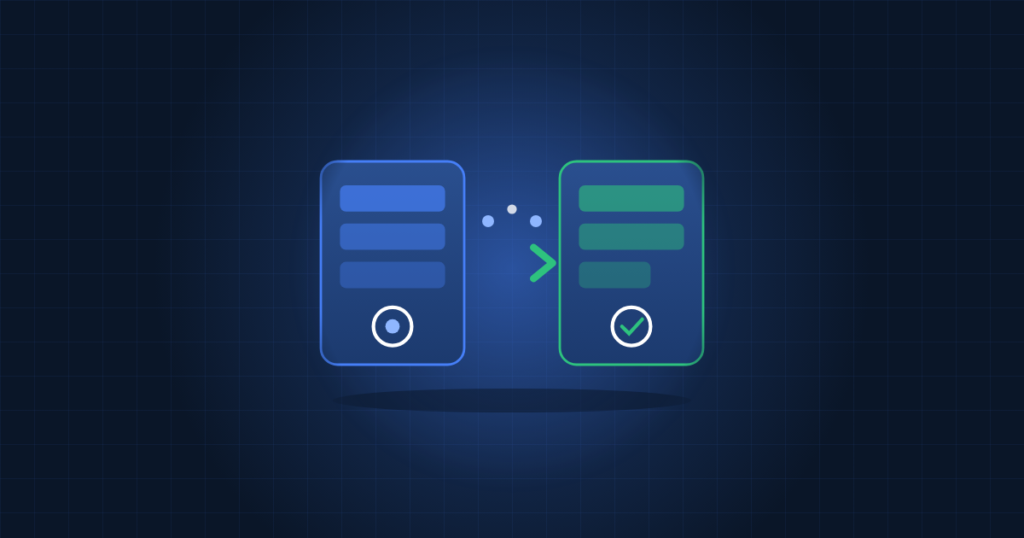
Reprint sends a site to a destination you choose, one piece at a time. No third-party transfer service sits in the middle. According to the announcement, it covers the common problems of manual migrations:
- No full-site archive needed. The copy starts without the source host first building one large backup file. That matters on shared hosting, where disk quotas and execution limits often kill big archive jobs.
- Resumable transfers. If the connection drops, the copy picks up from the last saved point instead of starting again.
- Link rewriting. If you give it a new site address, Reprint updates links to the old one in site settings, blocks, shortcodes, serialized data and custom fields. It follows the same link-rewriting approach as the WordPress Importer.
- Incremental repeat copies. On later runs it works out what has changed and moves only the files it needs.
There is also an experimental option that copies a sample site into WordPress Playground in the browser, so you can try it without installing anything.
Why it matters for site owners and hosts
Plenty of migration plugins already exist, but many are freemium, put size limits on the free tier, or route data through the vendor’s cloud. An official, open-source tool with resumable transfers and safe handling of serialized data fixes the two things that most often go wrong: timeouts part-way through a large copy, and broken widgets or theme settings after a domain change.
Incremental copies help with staging too. You can refresh a local or staging copy from production without moving the whole uploads folder each time, which saves a lot of time on media-heavy sites.
A safe host migration workflow
The announcement describes a sensible migration pattern. We have turned it into a checklist with a few extra steps from our own migration work:
- Back up the source first. Even with a non-destructive copy tool, take a database dump and a file backup you control.
- Prepare the destination. Match the PHP version and extensions, create the database, and set file permissions and ownership for the web server user.
- Run the first copy with Reprint while visitors keep using the original site.
- Test on the new host through a temporary hostname or a hosts-file entry. Check pages, images, contact forms, logins, checkout flows and scheduled tasks.
- Lower DNS TTL on the domain a day ahead so the cutover spreads quickly.
- Freeze changes on the original (pause comments, orders or editing), then run a final incremental copy.
- Point DNS to the new host, issue TLS certificates, and watch error logs for the first few hours.
- Keep the old host running for a few days as a rollback path before you cancel it.
After the copy, a few WP-CLI checks on the destination will confirm the basics:
wp core verify-checksums
wp option get siteurl
wp option get home
wp plugin list --status=active
wp cron event list
The developer documentation at developer.wordpress.org/reprint covers installing the plugin, running the CLI client and opening a copied site locally. Read it before your first production move, as the announcement does not list exact commands or hosting requirements.
Using Reprint for testing and updates
The other main use is a local copy for trying changes: a new theme layout, a plugin you are evaluating, or a major WordPress update. With WordPress 7.2 in beta, now is a good time to set this up. Make a local copy, apply the update there, test it, and only then touch production. Because repeat copies are incremental, refreshing that test copy before each update cycle stays quick.
A word of caution: a full copy contains customer data, password hashes and API keys stored in options. Treat local copies with the same care as production. Keep them off shared drives, delete them when you are done, and consider anonymising user and order tables on staging sites.
How TechProvidence can help
We migrate and maintain WordPress sites on cPanel, plain Linux servers and AWS every week: matching PHP stacks, zero-downtime DNS cutovers, staging environments and safe update routines. If you are planning a host move or want a proper staging workflow, contact us.
Source: WordPress.org News